How to search recipes in the BonApp! collection?
The BonApp! recipe collection includes over 60,000 recipes and can be searched by recipe title or ingredients, and by filtering on many food and cooking related attributes.
Method 1: Search recipe title and ingredients
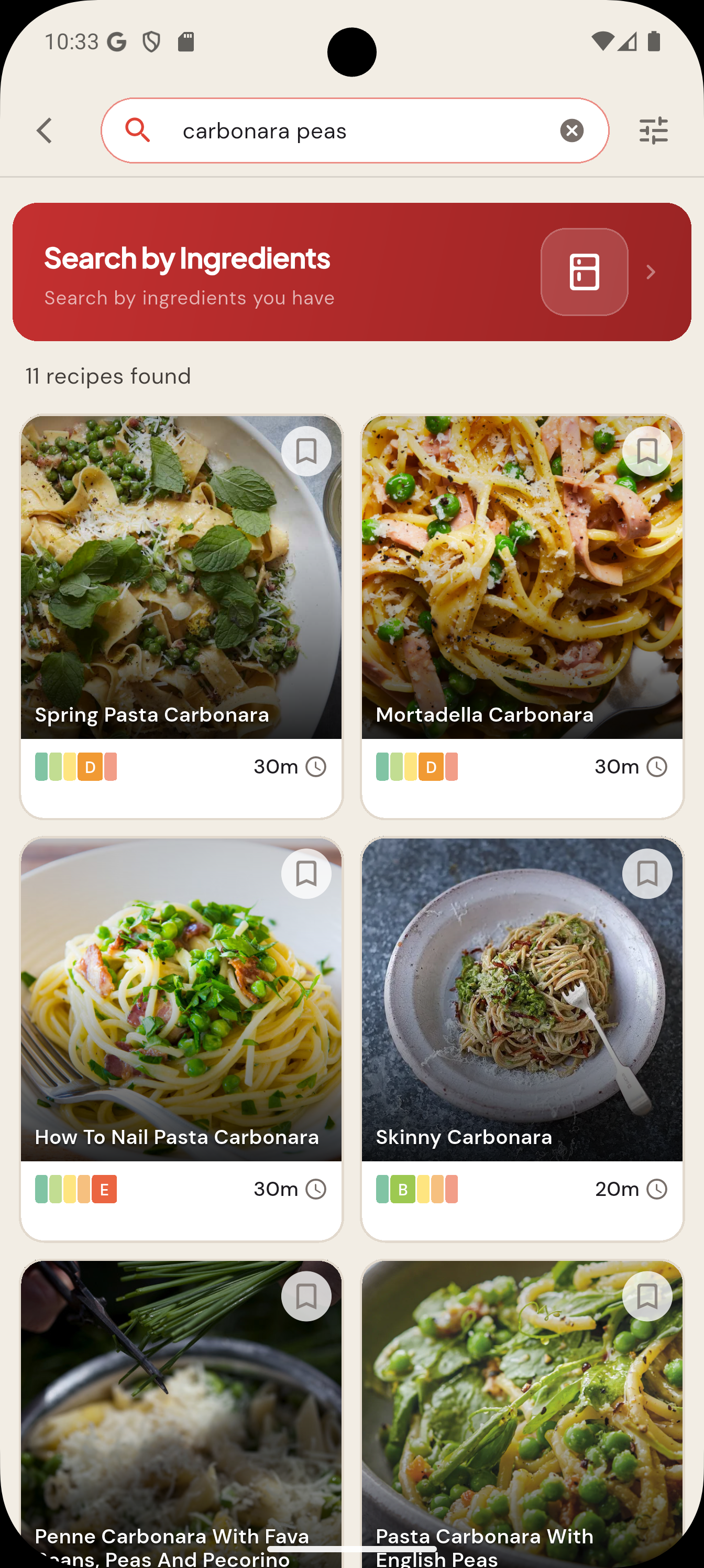
Start your recipe search from the Add (+) button on the Home Page, and tap"Search recipes", then "Search BonApp!". Alternatively, the search page can also be reached from the magnifying glass icon in the top navigation bar of the HomePage. The search bar at the top of the search page allow searching the BonApp! collection for recipes with matching recipe titles or ingredients. So entering "carbonara peas" returns all recipes with both terms matched in either the recipe title or ingredients.
Search by Recipe Title and Ingredients
Method 2: Search by Filters
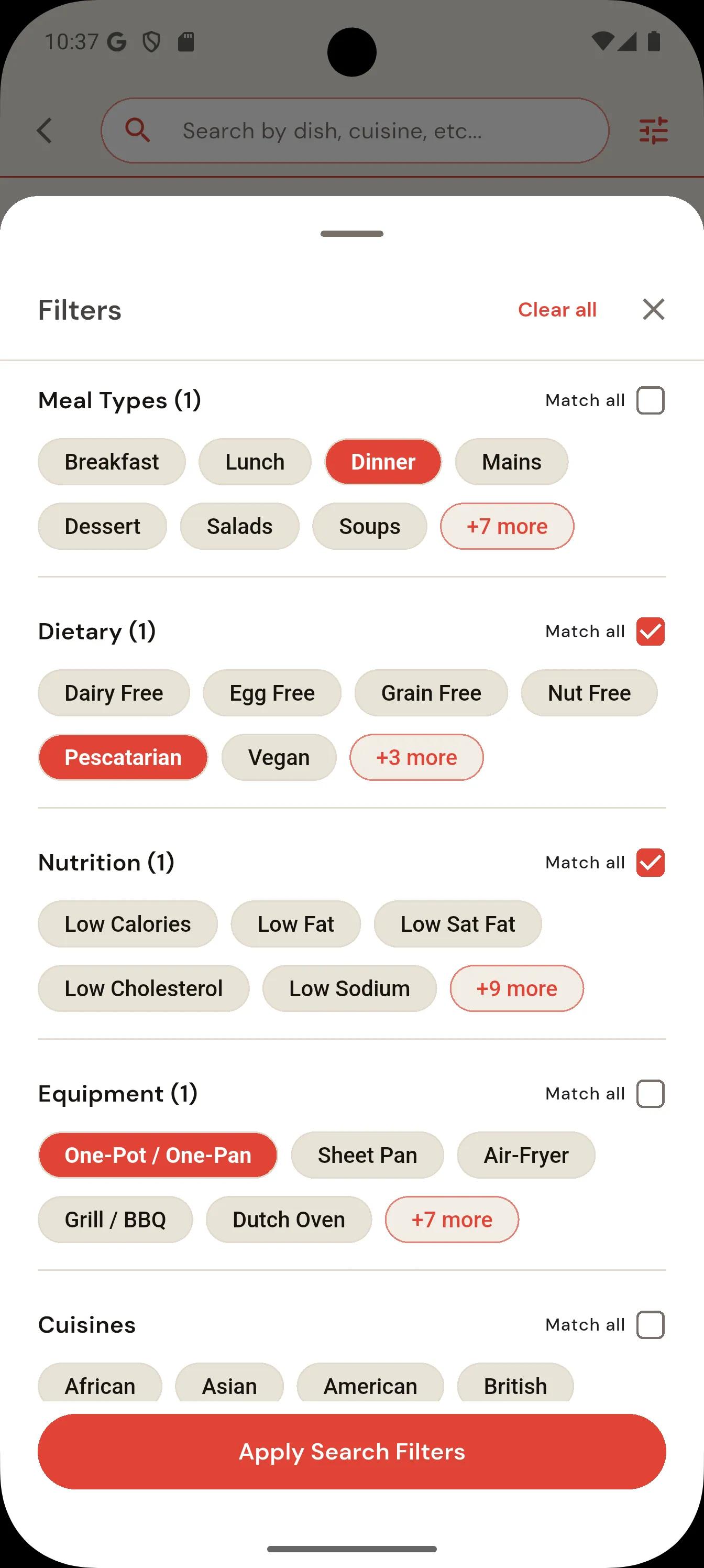
Apply filters to the search results to help find what you're looking for. You can easily search our database of 60,000+ recipes using advanced filters to find exactly what you need. You can filter by: Diet — pescatarian, vegan, gluten-free, vegetarian, and more Cuisine — Italian, Mexican, Asian, Mediterranean, etc. Nutrition — calories, protein, carbs, and fat macros Equipment - BBQ - one-pot, grill, sheet-pan, air-fryer, etc. Convenience — cook time, skill level, or specific ingredients you want to use up The filters can be combined with the text search.
Select the filters
Select one or more filters to apply to the search.
The “Match all” checkboxes determine if all filters must be matched, or any filters, within each section.
Browse the filtered search results
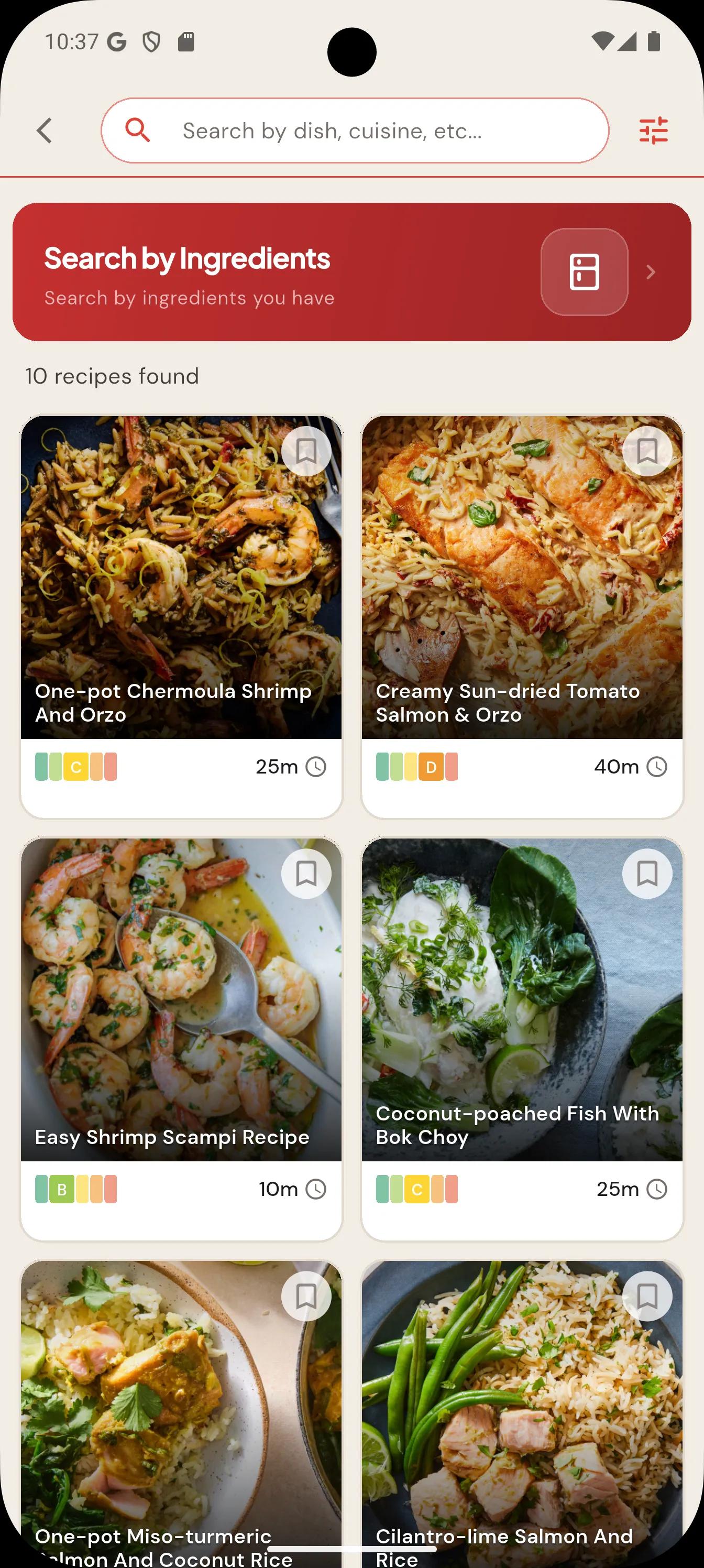
Browse the filtered results to find your next favorite recipe.
The first 250 matching recipes are shown.
Add more filters or combine with search terms to refine the search.
Related articles
How-to
How to find recipes with BonApp?BonApp! helps you find recipes by searching the BonApp! recipe collection, searching Google for recipes to import, and by taking a photo of your fridge finding recipes using ingredients you already have.
Getting Started Guide
Creating Your First RecipeAdd a recipe to BonApp! by importing a supported web or social link, scanning a printed recipe with your camera, or entering the ingredients and instructions manually.
Getting Started Guide
Setting Your Account & Diet PreferencesSign in to BonApp! with an available Apple or Google option, choose dietary preferences such as vegan or gluten-free, and select Imperial or Metric units in your account settings.