BonApp! Navigation: Where to Find Everything
Explore BonApp! using the bottom navigation bar: Home to discover recipes, MyRecipes for your saved favorites, (+) to search, import, or create recipes, Meal Planning to organize meals, and Grocery Lists to keep shopping simple. From the Home screen, use the top navigation bar to find your settings, personalize your preferences, get help, and learn more about BonApp!.
Finding your way around BonApp!
BonApp! keeps your favorite cooking tools within easy reach, so you can spend less time navigating and more time discovering, planning, and enjoying great meals.
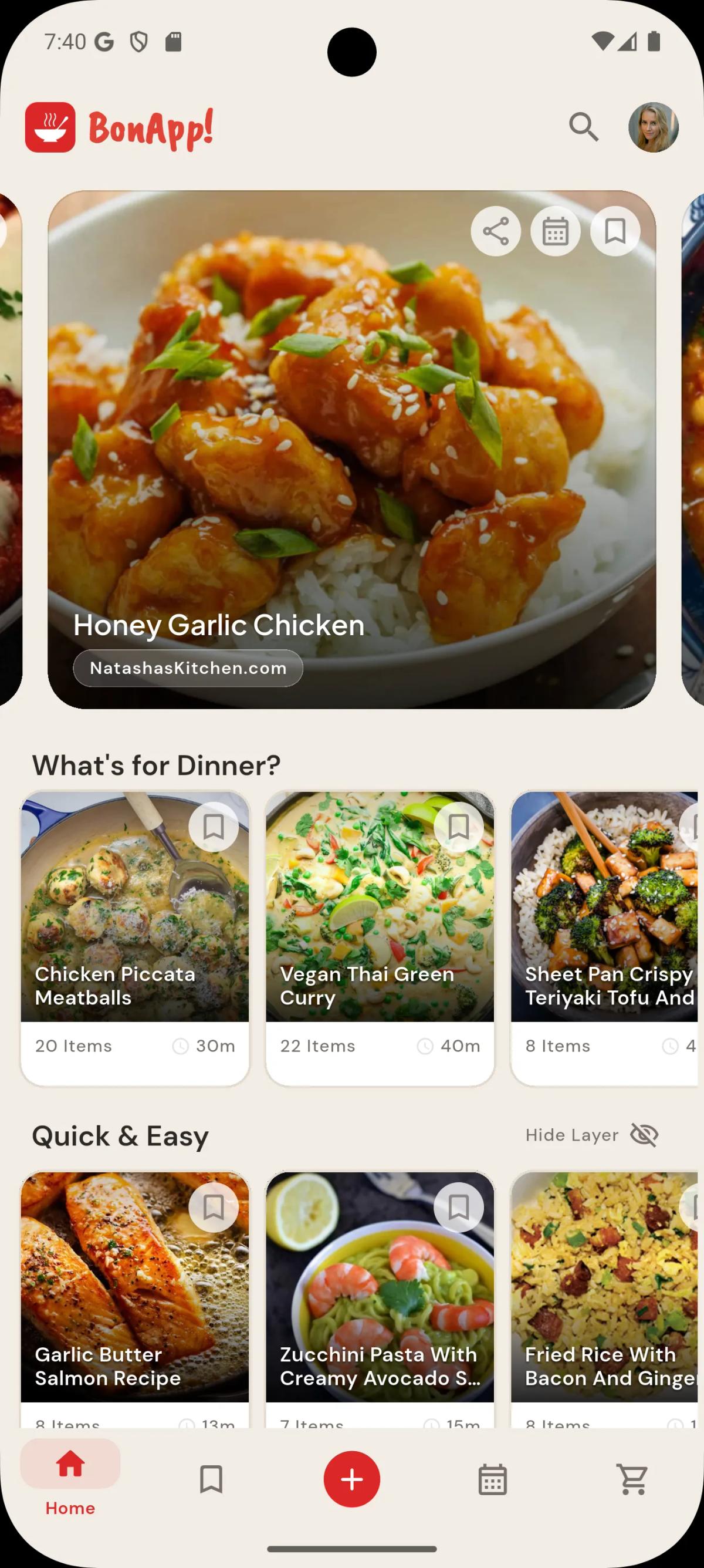
Explore the bottom navigation bar
The navigation bar at the bottom of the app gives you quick access to five main areas:
- Home: Browse and discover recipes for everyday inspiration.
- MyRecipes: Find your saved recipes and favorites in one place.
- (+) Search, Import & Create: Search for recipes, bring in favorites from other sources, or create your own.
- Meal Planning: Plan your meals and stay organized throughout the week.
- Grocery Lists: Keep track of the ingredients you need for your next meal or shopping trip.
Find your settings and preferences
On the Home screen, use the top navigation bar to access your settings. Here you can manage your preferences, find help, and explore more information about BonApp!.
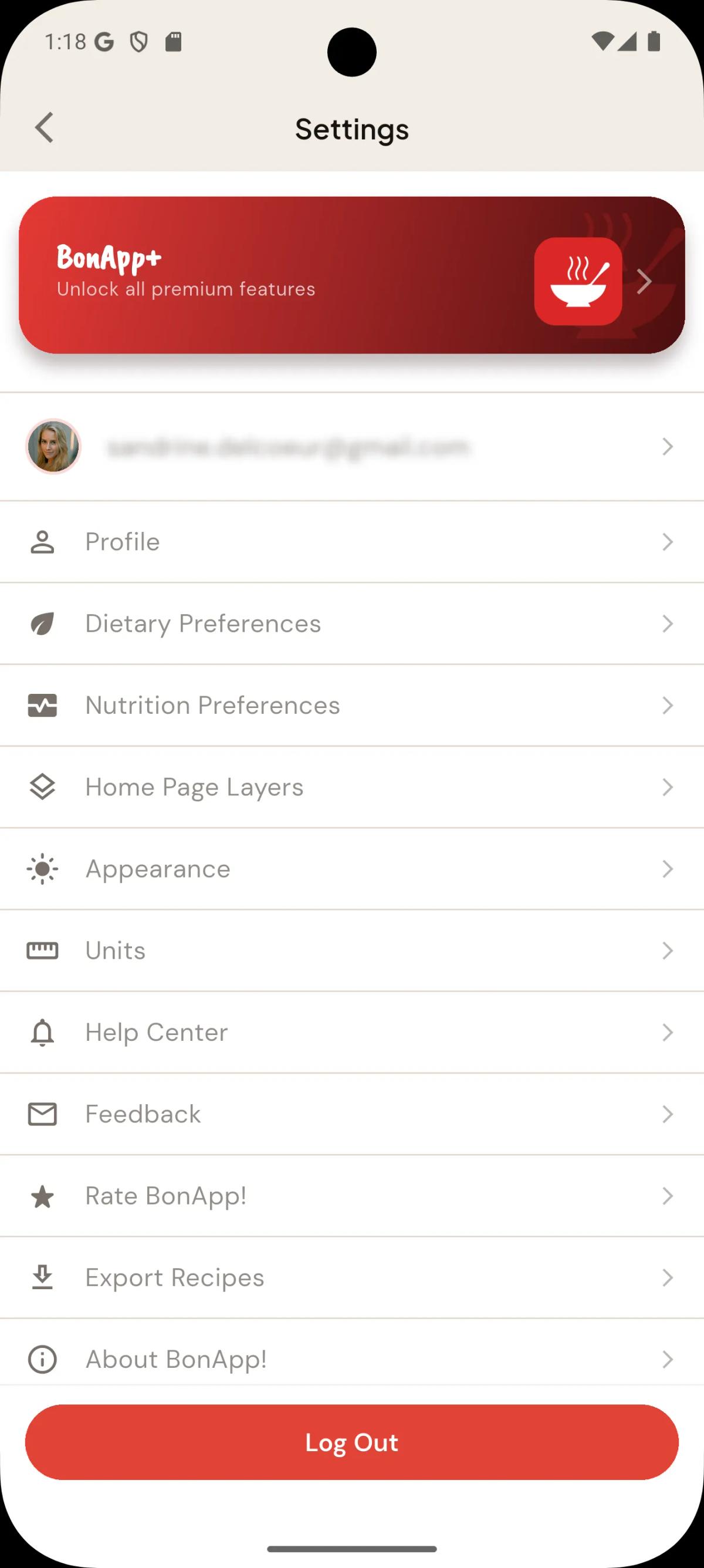
Getting started
If you are new to BonApp!, begin by exploring Home, save a recipe to MyRecipes, and then try adding it to a meal plan.
Related articles
How-to
How to find recipes with BonApp?BonApp! helps you find recipes by searching the BonApp! recipe collection, searching Google for recipes to import, and by taking a photo of your fridge finding recipes using ingredients you already have.
Getting Started Guide
Creating Your First RecipeAdd a recipe to BonApp! by importing a supported web or social link, scanning a printed recipe with your camera, or entering the ingredients and instructions manually.
Getting Started Guide
Setting Your Account & Diet PreferencesSign in to BonApp! with an available Apple or Google option, choose dietary preferences such as vegan or gluten-free, and select Imperial or Metric units in your account settings.